Auditlyaudit-prep workspace
Built by Tetu Mbah Full-stack + applied AI · live audit-prep demo
REF · 00 Auditly audit-prep workspace

Evidence collection, extraction, and review in one place.

Finance teams organize PBC evidence and run readiness checks. Audit teams review the same engagement with the extraction trail intact.
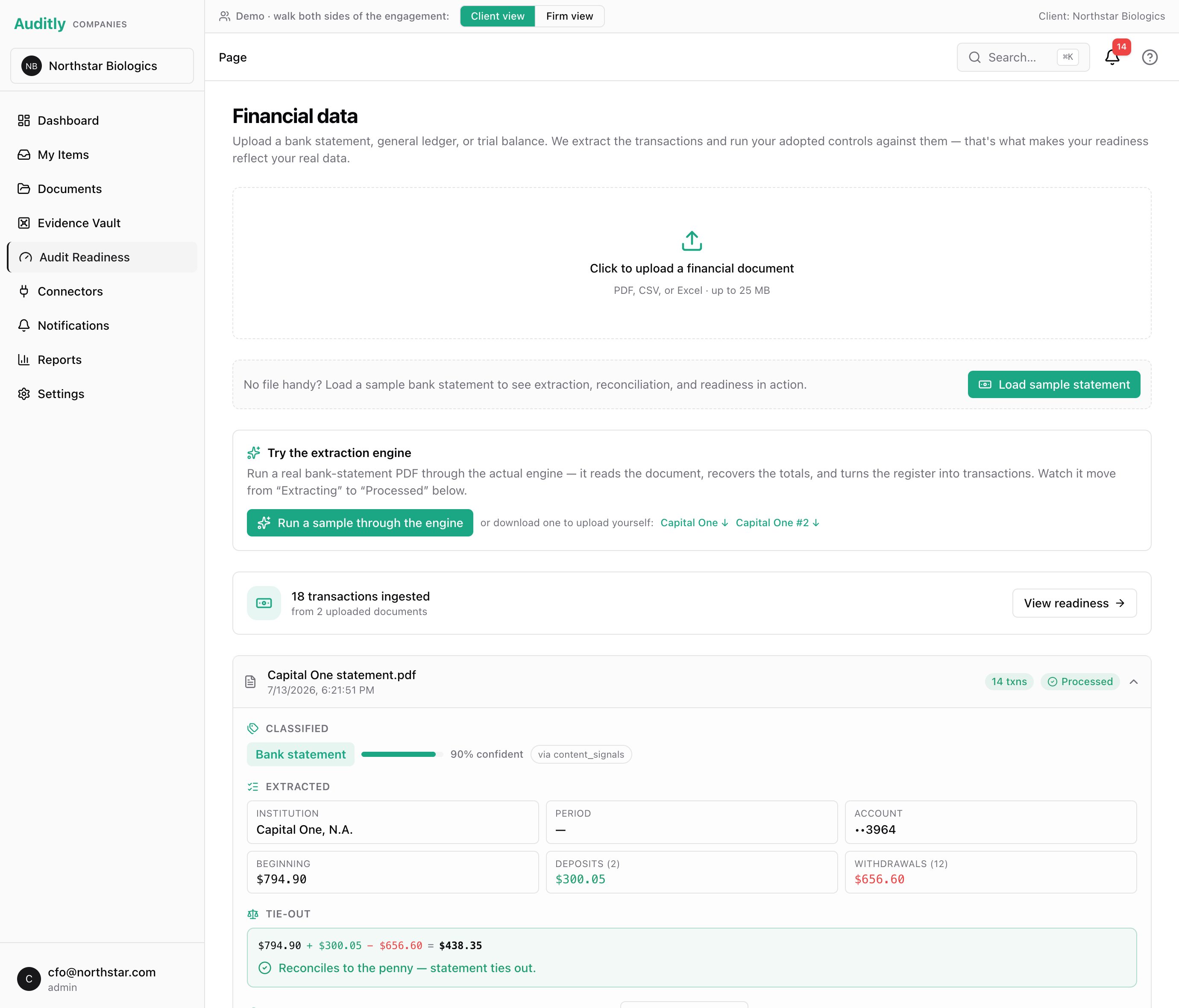
Seeded workspace with synthetic company data.
Auditly financial data page showing an extracted bank statement and a successful tie-out
Financial data · source-tied extractionstatement tie-out
REF · ENG Product

What the workspace does

Auditly keeps the request list, evidence intake, extraction results, readiness state, and auditor review tied to the same engagement record.

Access

One engagement, scoped views

Client and auditor workspaces share the file while role boundaries keep each side's data scoped.

Intake

Evidence moves through a queue

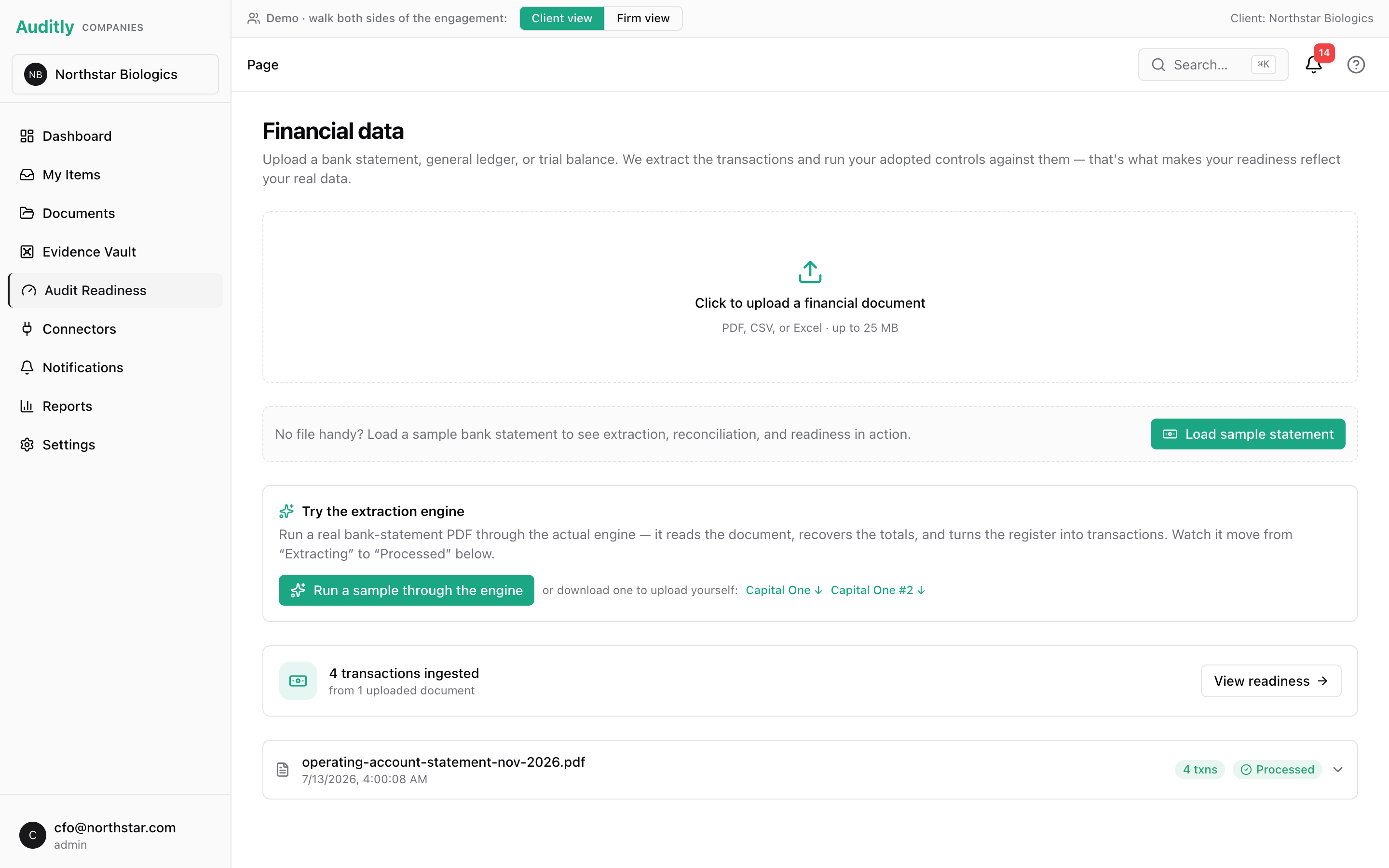
Uploaded documents are scanned, parsed, classified, extracted, and surfaced when processing finishes.

Tie-out

Statement math is checked

Bank figures only move forward when beginning balance plus deposits minus withdrawals equals ending balance.

Readiness

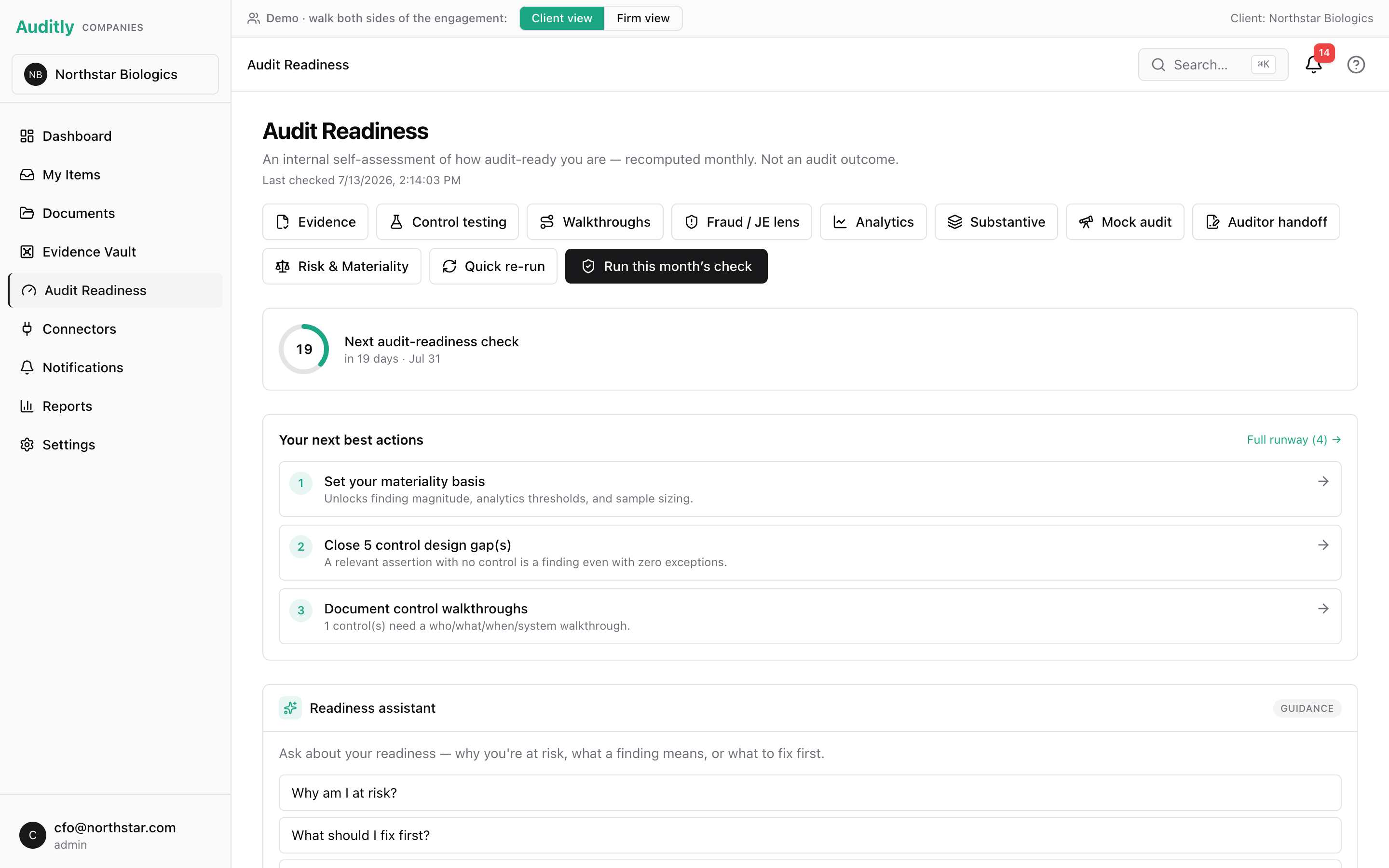
Preparation status stays current

The client can see what is complete, what is blocked, and which requests need attention before fieldwork.

Review

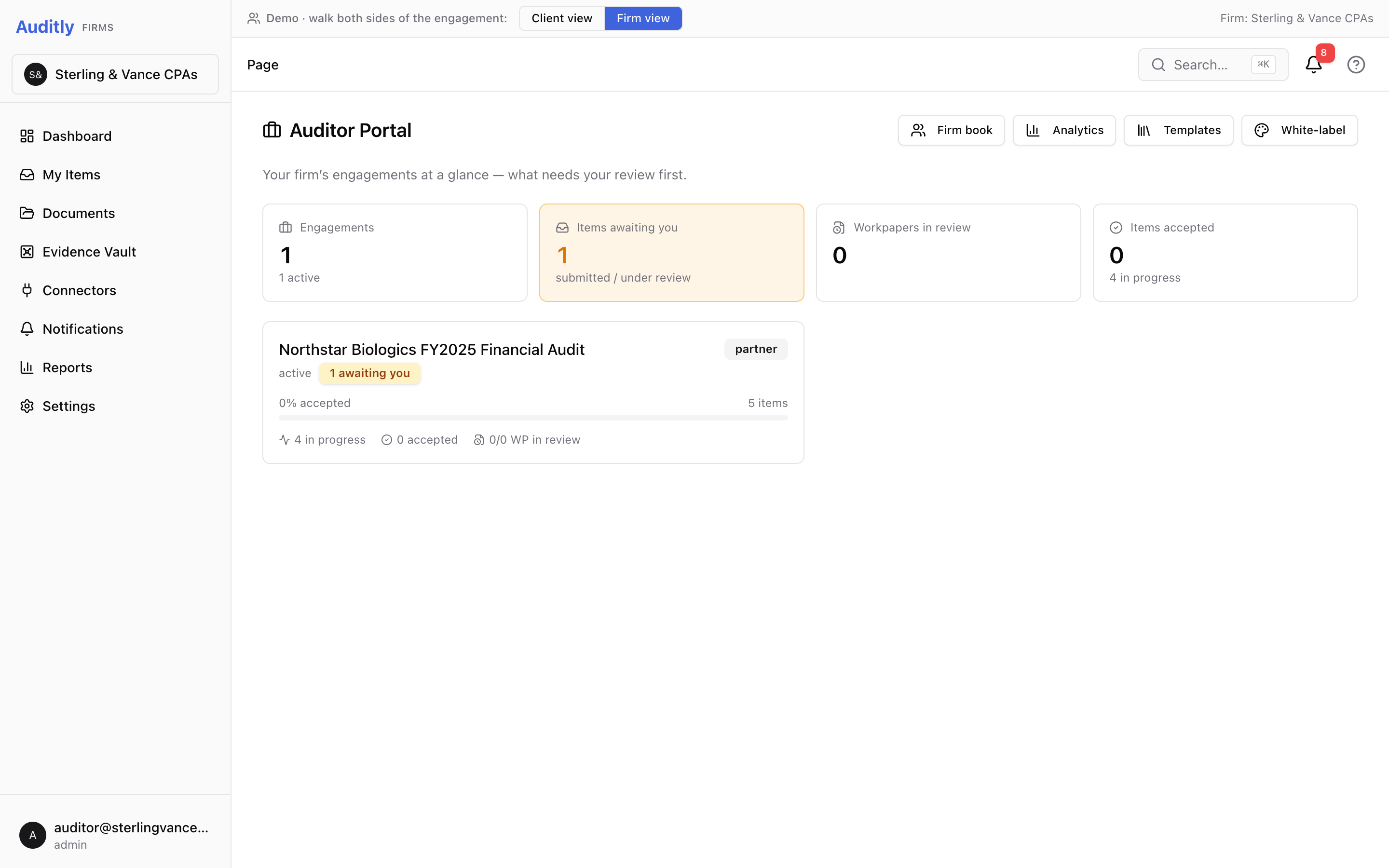
Auditors work from the same record

The firm sees submitted evidence, extraction status, and review queues without rebuilding the client file by hand.

Trace

Every figure keeps its trail

Captured values keep method, model, confidence, and cost metadata for later review.

Scope

Seeded environment. The workspace uses synthetic companies and statements so it can be opened without private financial data.

REF · A The problem

Audit fieldwork starts with weeks of chasing paper.

The painful part of an audit isn't judgment — it's collecting, classifying, and tying out the client's evidence before any real work can begin. Auditly moves that work to the front, and automates the parts a machine should own.

Today

Manual, back-and-forth, error-prone

PBC request lists over email. Statements re-keyed by hand. Tie-outs done in spreadsheets. The client shows up disorganized; the auditor spends the first weeks on logistics, not assurance.

With Auditly

Organized and half–tied-out on arrival

The client self-serves onboarding, evidence is extracted and reconciled on upload, and a readiness check tells them what's missing before fieldwork. The auditor opens a file that's already substantiated.

REF · B What it does

Four things worth building carefully.

Extraction is table stakes by now. The defensible parts are how the numbers get verified, how the AI stays honest, and how every artifact becomes durable evidence.

B-1

Deterministic-first extraction

Bank-statement specialists pull structured fields and reconcile them (tie-outs) before trusting them — most documents need no LLM at all. When one does, the call is metered and hard-capped, with a free local model as automatic fallback so the demo never breaks or overspends.

$0 on the deterministic path
B-2

Grounded copilot, allow-listed context

One reusable spine powers copilots on four surfaces. The model only ever sees an allow-listed grounding bundle and defers to the deterministic engine — it surfaces figures the engine validated, not ones it made up, and can't reach the auditor's internals. A safety-eval suite checks for leakage and fabrication.

no-leak / no-fabrication evals
B-3

Evidence substrate + signed audit trail

Every capture — extraction, verification, correction, metric — emits to an append-only log tagged with method, model, and consent. Control-test records are Ed25519-signed per tenant, so a modified or forged historical record fails signature verification — genuine tamper-evidence, not just an append-only claim.

append-only · Ed25519-signed records
B-4

Two-sided and multi-tenant

The same platform serves the audit firm and the client from distinct, role-aware workspaces. Isolation is enforced at the database with Postgres row-level security — a cross-tenant read returns 404, not 403.

RLS on every tenant table
REF · C Architecture & data flow

How a document becomes trusted evidence.

The interesting part isn't the box diagram — it's the trust boundary: an uploaded file crosses through deterministic validation and a reconciliation gate before it's ever written as evidence, and the LLM sits after the gate, not in front of it.

Upload
Client drops a statement / GL / trial balance into their workspace.
↓
API + auth
Express + JWT; Postgres RLS scopes every read/write to the caller's tenant.
↓
Object storage
Raw bytes to S3-compatible storage; a job is enqueued (Redis/BullMQ).
↓
Async worker
Scan → layout parse (docling) → classify → deterministic extraction. Idempotent; failures are terminal + recorded.
↓
Reconciliation gate
The trust boundary. Figures must tie out to the penny or they're flagged for review — never silently trusted.
↓
LLM fallback
Break-glass only, hard-capped, for fields the deterministic layers abstain on — then re-validated against the gate.
↓
Postgres + evidence log
Reconciled transactions + an append-only, method/model-tagged audit trail (control tests Ed25519-signed).
↓
Auditor · auditee
Role-aware workspaces read the same substrate through the tenant boundary.
Trust boundary = the reconciliation gate. Nothing becomes evidence upstream of it; the model lives downstream of it.
The stack · typed end-to-end (Turborepo)
FrontendNext.js 16 · React 19
APIExpress · JWT · Postgres RLS
Async / pipelineWorkers · Temporal · Redis
DataPostgres · Drizzle · pgvector
Object storageMinIO (S3)
AuthorizationSpiceDB
Document textdocling (layout-aware)
LLMAnthropic Haiku · capped
REF · D Extraction engine

It reads the statement, then checks the math.

Most fields come from deterministic parsers. The model is only a fallback, and the result still has to tie out.

1
Read the document layout
Keep tables, dates, balances, and register rows intact.
2
Pull core fields rules first
Institution, account, period, balances, deposits, withdrawals.
3
Use the bank specialist deterministic
Bank-specific layout knowledge handles the common cases cheaply.
Tie it out trust gate
Beginning + deposits - withdrawals must equal ending balance.
↯
Ask the model only if needed
Fallback fills gaps; the tie-out still decides what counts.
→
Save the evidence
Store the result with method, model, confidence, and cost metadata.
CAPITAL ONE 360 · CHECKING● PROCESSED · 24 TXNS
Classified
Bank statement 90% confident via content_signals
Extracted
Institution
Capital One
Period
08-11 → 08-31
Account
••3982
Beginning
$0.00
Deposits (6)
$544.37
Withdrawals (18)
$424.26
Tie-out
$0.00+ $544.37− $424.26=$120.11
Reconciles to the penny variance  0.00
How this was extracted
Deterministic · Tier 1 capture — institution
Deterministic · Capital One specialist (capone_360) — account #, period
Deterministic · Register parser — 24 transactions + totals (tie-out validated)
LLM break-glass · ending balance
The panel is based on a real public Capital One statement format from the test corpus. The seeded workspace uses synthetic data.
Data note

Real public formats for engine validation. Synthetic companies and statements in the seeded workspace.

REF · MEAS Measured

Extraction performance is measured.

The engine is tested against labeled public bank-statement fixtures, with cost and latency tracked per run.

160
statements benchmarked
fresh · 0-cache · 0 errors
100%
of institution fields resolved deterministically
0 LLM calls for that field
$0.094
avg cost / document
p50 $0.046 · p95 $0.33
~60
benchmark runs tracked in-repo
across the engine's evolution
Field-level accuracy (v3.1 corpus, 97 statements): institution 85.6% · ending balance 84.5% · account # 81.4% · period 76.3%.
Self-checking. Figures must pass the reconciliation tie-out.
Holdbacks. Protected fixtures catch regressions and overfitting.
Cost tracked. Every run records per-document cost and latency.
Layer attribution. The benchmark records what the model did and did not do.
Full methodology + result files: see the evaluation write-up.
REF · SEE Screens

Product screens

A connected audit file from client preparation through auditor review.
Extraction engine reveal on a real Capital One statement: classified 90%, fields extracted, roll-forward tied out to the penny
01Extraction engine — a Capital One statement classified, fields pulled out, and the roll-forward tied out to the penny.
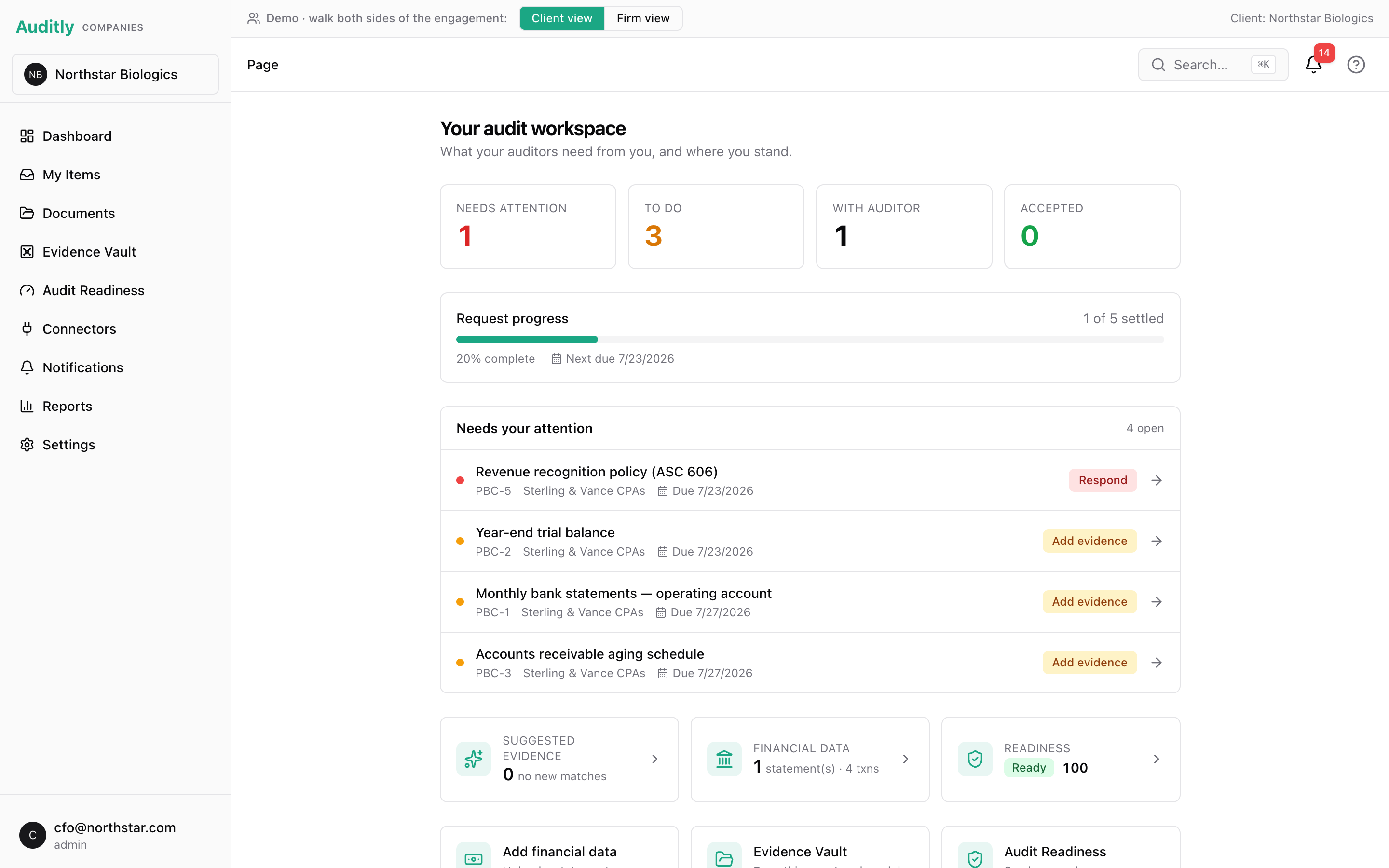
Client audit workspace: PBC request buckets, request progress, and a live readiness score
02Client workspace — pending PBC requests, request progress, and readiness status in one place.
Audit Readiness page with next-best-actions and a grounded readiness assistant
03Audit Readiness — a monthly self-assessment, next-best-actions, and a grounded AI assistant.
Auditor Portal for the firm showing the same engagement and review queue
04Auditor portal — the same engagement from the firm's side, with the review queue.
Financial data intake: upload or run a sample through the extraction engine
05Financial intake — run a sample statement through the engine and watch it move from Extracting to Processed.
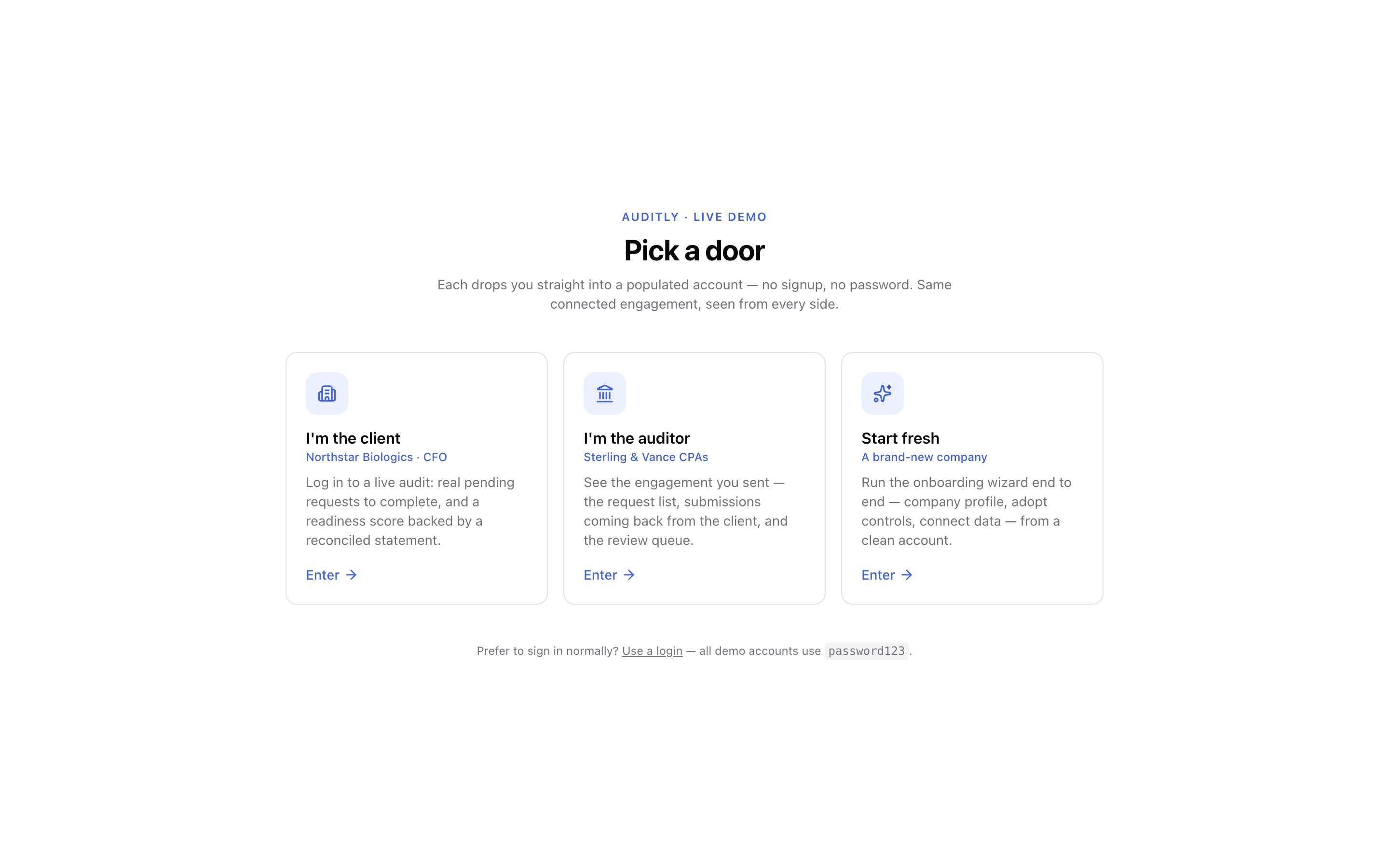
Workspace access screen for client, firm, or a fresh account
06Workspace access — open the client side, the firm side, or a fresh account.
REF · E Access

Enter the workspace

Use the seeded client or firm account to move through the same engagement.

Auditee — the client

Prepare, extract, self-assess

Engagements — see every engagement and complete each PBC request from your auditor.
Extraction engine — drop in a statement / GL / trial balance; figures are reconciled (tied out) automatically.
Readiness — run the check any time for a clear view of what is blocking fieldwork.
Artifacts — produce a signed readiness report to hand the firm.
Readiness assistant (AI) — ask why you're at risk and what to fix first; grounded in your data, never invents.
Enter as the client →
sign in as alice@acme.com / password123
Auditor — the firm

Author, send, review

New PBC engagement — start one and author the request list (Auditly Standard — 73 items).
Send — dispatch the request list to the client (or invite them if they're not on the platform yet).
Review — accept or send back each item as evidence arrives; build workpapers.
Artifacts — export the request list as a client-facing PDF / trackable Excel.
Authoring assistant (AI) — draft requests and spot coverage gaps; defers to the engine, never invents.
Enter as the firm →
sign in as auditor@sterlingvance.com / password123
Synthetic data · seeded accounts · one shared engagement.
REF · WHO Implementation

Working implementation

Auditly runs as a seeded product environment with a client workspace, auditor portal, background extraction jobs, AI assistance, and deployment infrastructure.

Project links

Code, evaluation notes, and contact details.

Built by Tetu Mbah · GitHub: github.com/TetuM7 · Email: tetum7@gmail.com